

Ultimate Guide to Email List Hygiene
Want better email performance? Start with a clean list. Email list hygiene is about regularly removing invalid, inactive, or unengaged contacts to improve deliverability and engagement. Neglecting this can lead to bounces, spam complaints, and even legal risks. Here’s what you need to know:
- Why it matters: Email lists degrade by 20–25% annually. Poor hygiene can harm your sender reputation, inflate costs, and distort metrics.
- Key risks: High bounce rates (>0.5%) and spam complaints (>0.3%) can lead to blocked emails or spam folder placement.
- Best practices: Verify emails, remove bounces, re-engage inactive subscribers, and clean your list every 30–90 days depending on its size and activity.
- Tools to use: Bulk verification tools like BillionVerify or real-time APIs help keep your list accurate and safe.
- Real results: Brands like 304 Clothing saw open rates double and revenue grow by 17.5% after cleaning their list.
The takeaway: A smaller, engaged list beats a large, outdated one every time. Regular maintenance protects your sender reputation, saves costs, and improves campaign performance.
How to Clean Your Email List and Protect Your Deliverability
sbb-itb-b3a7196
Why Email List Hygiene Matters
Email List Hygiene Benchmarks and Recommended Actions
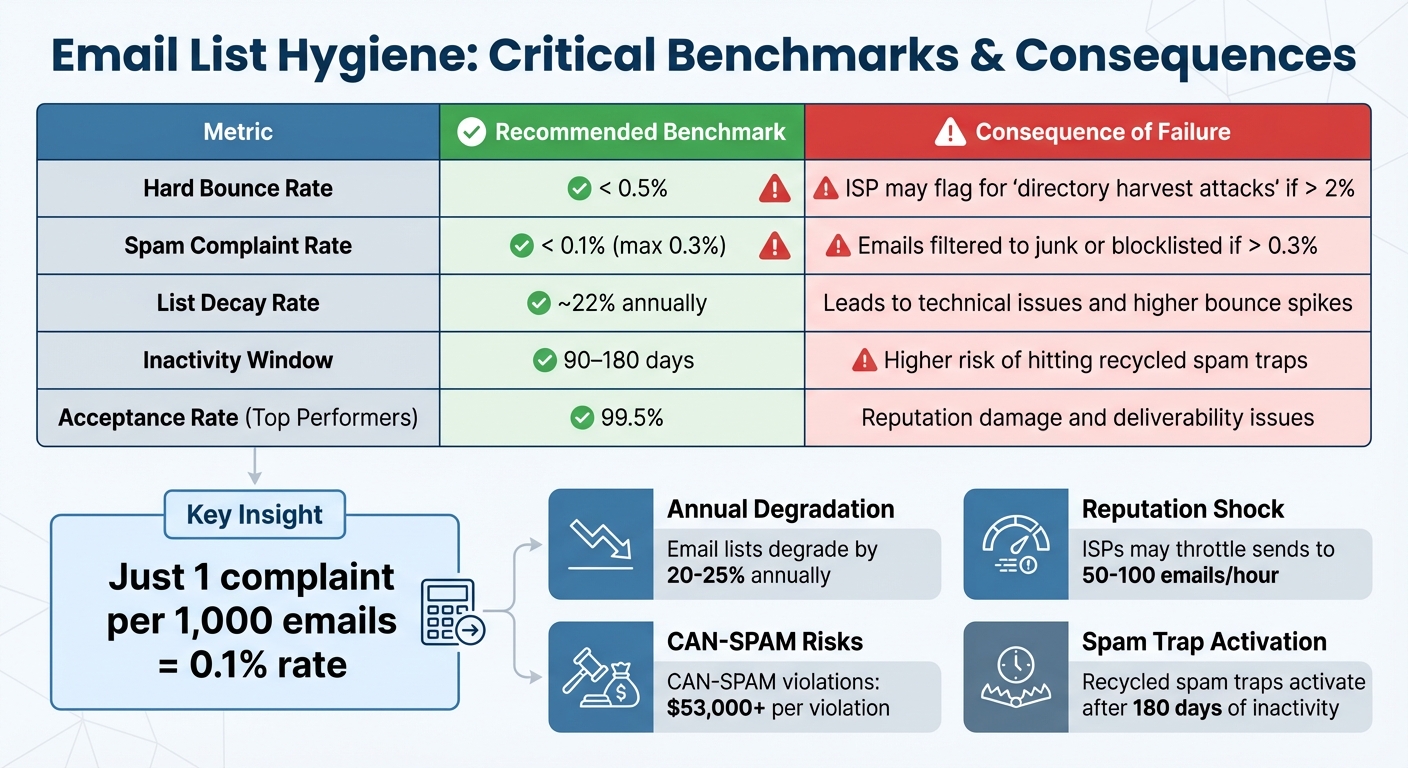
Ignoring email list hygiene can wreak havoc on your deliverability and overall campaign performance. Sending emails to invalid addresses or long-inactive subscribers signals poor data management to Internet Service Providers (ISPs) like Gmail and Microsoft. Their reputation systems, powered by advanced AI, interpret this as a red flag, leading to what experts call "Reputation Shock".
The fallout is swift and severe. ISPs may throttle your email sends to a trickle – just 50–100 emails per hour – no matter how large your list is. Exceeding a 2% hard bounce rate could even make providers suspect you’re engaging in a directory harvest attack (essentially email address scraping). The result? Your messages could land in spam folders or be blocked entirely.
Beyond deliverability issues, there’s a financial hit. Every email contact – active or not – costs money. If 10%–20% of your list is inactive, you’re not only wasting your budget but also skewing your performance metrics.
There are also legal risks. Failure to manage opt-outs properly or using misleading headers can violate the CAN-SPAM Act, with penalties exceeding $53,000 per violation. Worse, sending to a recycled spam trap – an abandoned email address repurposed by ISPs after 180 days of inactivity – can tank your sender score.
Impact on Key Email Metrics
Email benchmarks are unforgiving. For instance, Gmail and Yahoo cap acceptable spam complaint rates at 0.3%, but industry best practices recommend staying under 0.1% – just one complaint per 1,000 emails. Hard bounce rates should stay below 0.5% to avoid reputation hits. Top-performing senders achieve a 99.5% acceptance rate, leaving no room for error.
Take Brian Dean, founder of Backlinko, as an example. After realizing that 35.5% of his subscribers (28,018 contacts) had been inactive for more than six months, he made the bold move to remove them all in one day. The result? His open rate surged from 19.9% to 28.3%, and his engagement improved dramatically as fewer emails ended up in spam folders.
Another success story comes from 304 Clothing, a Shopify-based brand. In 2025, they slashed their email list by half using dynamic segmentation. By breaking down the remaining contacts into 15 tailored groups, they saw open rates double and click-through rates triple. This overhaul contributed to a 17.5% revenue increase in just one quarter.
| Metric | Recommended Benchmark | Consequence of Failure |
|---|---|---|
| Hard Bounce Rate | < 0.5% | ISP may flag for "directory harvest attacks" if > 2% |
| Spam Complaint Rate | < 0.1% | Emails filtered to junk or blocklisted if > 0.3% |
| List Decay Rate | ~22% annually | Leads to technical issues and higher bounce spikes |
| Inactivity Window | 90–180 days | Higher risk of hitting recycled spam traps |
"Sending a single campaign to an unverified, stale database is no longer a minor marketing oversight – it is a catastrophic technical failure."
– Mahalekshmi, Bouncify
These strict benchmarks highlight the critical need for consistent list maintenance. Regular cleaning isn’t just a best practice – it’s essential to protect your sender reputation and keep your campaigns on track.
How to Clean Your Email List
Keeping your email list clean is an essential task that safeguards your sender reputation and ensures your email metrics stay accurate. Start by exporting your list and carefully reviewing it for common errors, such as missing @ symbols, duplicate entries, or typos like "gmial.com" instead of "gmail.com."
To take it a step further, use bulk verification tools that perform SMTP probing. This process checks if a mailbox exists without actually sending an email. These tools also validate MX records and flag catch-all domains. For example, BillionVerify can process up to 50,000 emails per hour with an accuracy rate of 99.9%.
Verify Emails Before Importing
Real-time API verification is a powerful way to block invalid or disposable email addresses before they even make it into your database. While syntax checks can catch basic errors, MX record validation is what confirms whether a domain is equipped to receive messages.
Role-based addresses like info@, sales@, or admin@ deserve special attention. These shared inboxes often generate higher spam complaint rates. Instead of outright blocking them, consider placing them in a separate segment with reduced sending frequency for closer monitoring. Disposable addresses – temporary emails from services like 10 Minute Mail – should be blocked entirely. Most email verification tools can automatically detect and block these during the signup process.
Remove Hard and Soft Bounces
Bounced emails can damage your sender reputation, so handling them correctly is critical. Hard bounces – caused by invalid addresses, closed mailboxes, or dead domains – should be removed from your list immediately. On the other hand, soft bounces, which result from temporary issues like full mailboxes or server downtime, can be managed using a "three-strike" rule.
Set your Email Service Provider (ESP) to automatically suppress addresses after three to five consecutive soft bounces. Platforms like Mailchimp and Klaviyo often have default settings to suppress addresses after seven failures. Understanding SMTP error codes can also help: codes starting with 5xx (e.g., 550 or 551) indicate hard bounces, while 4xx codes (e.g., 421 or 450) signal soft bounces.
| Characteristic | Hard Bounce | Soft Bounce |
|---|---|---|
| Nature | Permanent failure | Temporary failure |
| Causes | Invalid address, dead domain | Full mailbox, server issues |
| SMTP Codes | 550, 551, 552 | 421, 450, 452 |
| Recommended Action | Remove immediately | Monitor; remove after repeated failures |
Identify and Manage Inactive Subscribers
Inactive subscribers can hurt your deliverability and may even turn into spam traps after about 180 days of inactivity. Internet Service Providers (ISPs) use these traps to catch senders who don’t maintain proper list hygiene.
Before deleting inactive contacts, try a re-engagement campaign with 2–4 emails. Use subject lines that create urgency, like "Is this goodbye?" or "Do you still want to hear from us?" You might also include a special offer to re-capture their interest. If these efforts fail, suppress these contacts instead of deleting them. Suppression ensures they won’t receive future emails but keeps their data intact for compliance and reporting purposes, preventing accidental re-imports.
How Often to Clean Your Email List
Once you’ve got the techniques down, the next step is figuring out how often you should clean your email list. The right schedule depends a lot on how you use your list. With email lists losing about 22.5%–30% of their contacts annually, neglecting this can lead to serious deliverability problems over time.
A good rule of thumb? Clean your list every 30–90 days. If you’re sending emails daily or weekly, aim for monthly cleanups. For smaller, more stable lists, you can stretch that to every six months. On the other hand, if your list exceeds 100,000 contacts, quarterly reviews are a must. These guidelines help you figure out the best cleaning frequency based on your list’s size and activity.
Cold outreach lists are a different story. These need to be cleaned before every campaign. Unverified contacts can harm your domain reputation almost instantly. As SanitizeEmail puts it:
"The faster emails enter your system, the faster hygiene must happen".
And don’t wait if you notice any red flags like high bounce rates or a surge in spam complaints. If your bounce rate exceeds 0.5%–2%, or spam complaints hit around 0.3%, it’s time to act. Switching email service providers (ESPs) is another moment to prioritize cleaning. Keep in mind: a spam complaint rate above 0.3% can wreak havoc on your deliverability. Regular cleanups not only keep your list healthy but also protect your sender reputation, which ties directly to your email performance.
Cleaning Frequency by List Type
Here’s a quick table to guide you based on your list type and its specific needs:
| List Type | Recommended Frequency | Primary Benefit |
|---|---|---|
| Cold Outreach | Before every campaign send | Prevents domain blacklisting; keeps bounce rate under 2% |
| Standard Newsletters | Every 3–6 months | Maintains engagement levels and addresses annual decay |
| Large Lists (>100,000) | Quarterly (Every 90 days) | Protects sender reputation; cuts down on wasted ESP costs |
| High-Growth / SaaS | Monthly or continuous | Filters out bot sign-ups and disposable emails from trial users |
| Purchased / Rented | Before first use + every 30 days | Reduces risk of spam traps, the highest-risk category |
| New Data Imports | Immediately upon import | Ensures no typos or invalid addresses from third-party data |
Tools for Email List Hygiene
Keeping your email list clean and accurate is easier with the right tools. Most email verification services use a layered approach to ensure precision. These tools check for proper email syntax (correct formatting), confirm domain and MX records (to verify the server exists), and perform SMTP handshakes to ping mailboxes without sending actual emails. This process helps identify typos, abandoned accounts, and spam traps.
There are two main types of email verification tools: real-time APIs and bulk cleaners. Real-time APIs prevent invalid entries during signup, while bulk cleaners help remove outdated or invalid addresses from existing lists. Some services, like VerifiedEmail, even offer ongoing daily maintenance to keep your list in top shape. This layered verification process is essential before implementing preventive strategies.
A study by ZeroBounce, which analyzed six billion emails, revealed that only 57% were valid and low-risk. Advanced tools categorize emails into three groups – "deliverable", "risky" (e.g., catch-alls, role-based addresses), and "undeliverable" – allowing you to decide which ones to suppress. Pricing for these tools varies widely: some, like BulkCheck.io, offer free sessions for up to 100,000 emails, while others, like EmailListVerify, charge $4 per 1,000 emails. Unlimited plans, such as Unlimited Verifier, start at $29/month.
Here’s a real-world example: In March 2026, a B2B SaaS startup used BulkCheck.io to clean 8,000 leads collected over six months. Before cleaning, their campaign had a 9.4% bounce rate and a 6% open rate. After removing 2,100 invalid addresses and 430 role-based emails, their cleaned list of 5,290 addresses saw a bounce rate drop to 0.8%, while the open rate jumped to 21%.
While these tools are excellent for cleaning your list, focusing on proactive lead collection can help you avoid quality issues altogether.
Using Subpage.co for High-Quality Lead Collection
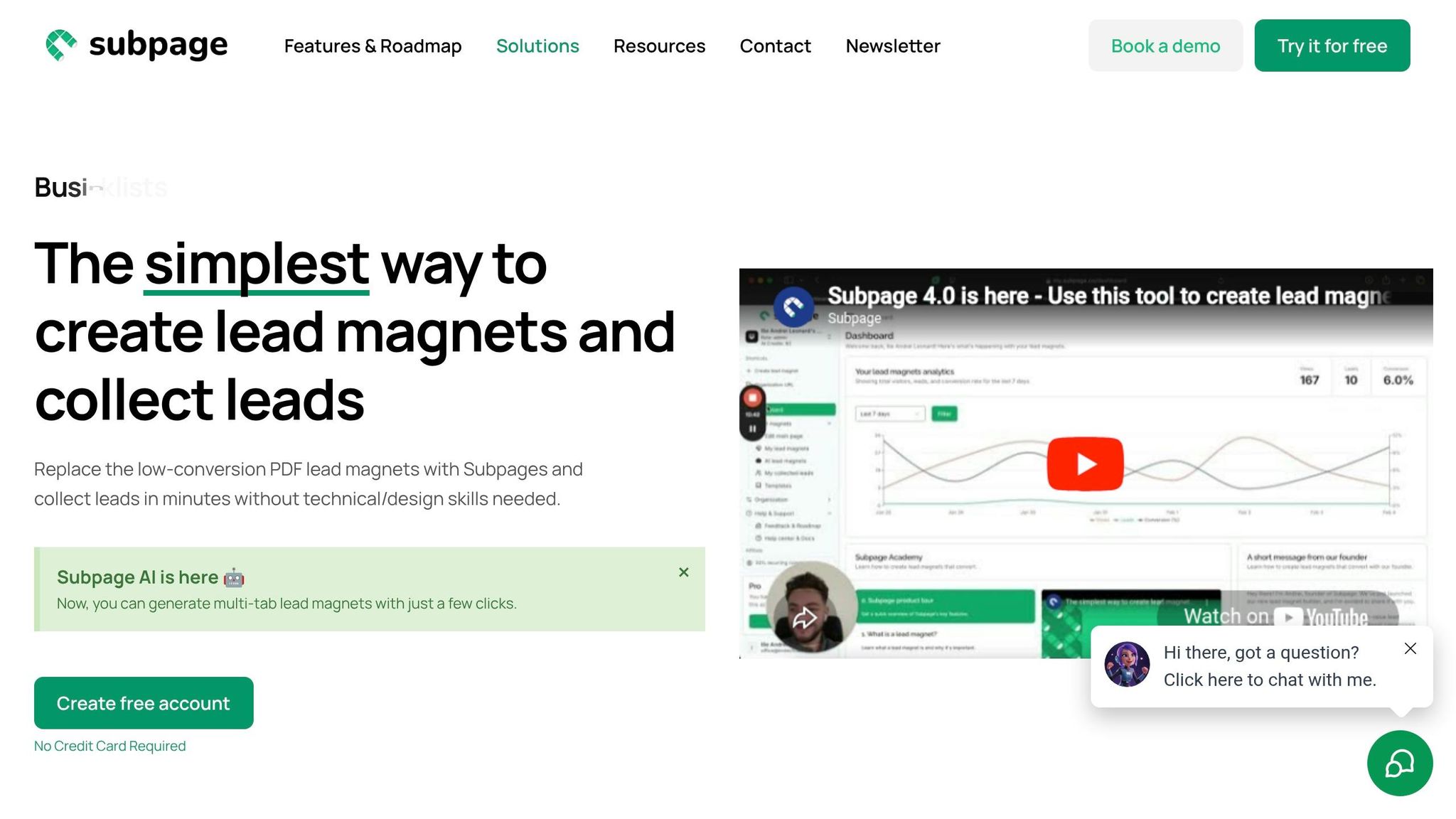
Subpage.co helps you build a healthier email list from the start by focusing on high-quality, engaged subscribers. Instead of relying on scraping or purchasing contacts, Subpage allows you to create gated content – like whitepapers, checklists, or business cases – that attract people genuinely interested in your offerings.
The platform includes lead collection tools like forms, pop-ups, top bars, and widgets, all designed to capture contact information when visitors are most engaged. Since users actively choose to access your content, you’re gathering verified and interested subscribers instead of questionable addresses. Subpage also provides analytics to show which lead magnets perform best and integrates seamlessly with tools like Zapier and webhooks, so you can sync clean leads directly into your CRM.
At $19 per organization per month for the Premium plan, Subpage offers unlimited lead magnets, whitelabel branding, and advanced analytics. This makes it easy to scale your lead generation efforts while ensuring your email list stays clean and effective.
Advanced Email List Hygiene Strategies
Once you’ve got the basics of list cleaning and maintenance down, it’s time to step up your game. These advanced strategies tackle the more subtle issues that can sneak past standard hygiene practices, keeping your email list in top shape.
Implementing Double Opt-In
Double opt-in (DOI) adds an extra layer of verification for new subscribers. It works by requiring users to click a confirmation link sent to their email before they’re officially added to your list. This process helps weed out invalid, disposable, or bot-generated addresses, ensuring that each subscriber is genuinely interested in your content.
But DOI’s benefits don’t stop there. Subscribers who confirm their email are more likely to engage with your content, leading to better engagement rates and fewer spam complaints. In fact, in countries like Austria, Germany, Greece, Switzerland, Luxembourg, and Norway, DOI isn’t just a best practice – it’s a legal requirement.
For the best results, send the confirmation email right after signup while the user is still active in their inbox. Keep it simple and transactional – no promotional content – so the focus stays on the confirmation button. Once they confirm, use the thank-you page to deepen their engagement. For example, you could offer a discount code or invite them to complete their profile.
With DOI ensuring your list is filled with real, engaged users, it’s time to address other risks like spam traps and role-based emails.
Avoiding Spam Traps and Role-Based Emails
Even with solid cleaning practices, spam traps and role-based emails can pose serious risks. As of June 2022, Project Honeypot tracked over 490 million spam traps, with one trap alone receiving more than 3.9 million messages. Hitting these traps can lead to immediate issues like throttled sending, domain blocklisting, and poor inbox placement.
Here’s a quick breakdown of common spam traps and what they reveal about your list management:
| Spam Trap Type | Origin | Problem Identified |
|---|---|---|
| Pristine | Created by ISPs/Anti-spam organizations | Indicates purchased lists, scraping, or unauthorized data collection. |
| Recycled | Old, abandoned email addresses | Suggests poor hygiene practices or failing to remove inactive contacts. |
| Typo | Misspelled domains (e.g., @gmial.com) | Points to inadequate form validation and lack of double opt-in. |
To avoid recycled traps, set up a sunset policy – remove subscribers who haven’t opened or clicked an email in 6 to 12 months.
Role-based emails (like admin@, support@, or sales@) are another red flag. These addresses often generate high spam complaints and should be validated in real time. If they do make it onto your list, consider segmenting them and reducing their email frequency.
"A trap is only a trap if you don’t know about it. But even if you know about it, it’s still a challenge!" – Dan Stone, Team Lead, Email Deliverability, Braze
The best way to steer clear of spam traps? Avoid buying or renting email lists altogether. These lists are often loaded with pristine spam traps. Instead, focus on growing your list organically with high-quality lead magnets, and always use double opt-in to ensure your subscribers are real and engaged.
Conclusion
Maintaining a clean email list isn’t just a best practice; it’s a critical strategy for improving deliverability, boosting engagement, and driving revenue. The numbers speak for themselves: companies with well-maintained lists enjoy 50% higher open rates and 75% better click-through rates compared to those that neglect list hygiene. A great example is 304 Clothing, which saw impressive results in September 2025. By halving their list size through dynamic segmentation, they doubled their open rates and increased revenue by 17.5% in just one quarter.
To achieve similar results, prioritize the following key actions:
- Remove hard bounces immediately and keep an eye on soft bounces.
- Implement a sunset policy to phase out subscribers inactive for 90–180 days.
- Use double opt-in to prevent bots and typos from clogging your list.
- Avoid using purchased email lists, as they often contain spam traps that can damage your sender reputation.
Regularly scheduled cleanups are essential. For smaller lists, aim for every six months, but if you’re managing over 100,000 contacts, consider quarterly cleanups to stay ahead.
Leverage tools to simplify the process. Platforms like Subpage.co can help you collect better-quality leads from the start using built-in validation, while email verification services can keep your existing database in top shape. Remember, the goal isn’t to have the biggest list – it’s to have the most engaged one. As Shubhneet Goel of InboxAlly puts it:
"A smaller, engaged list will always outperform a large, bloated one on deliverability, on metrics, and on ROI".
Don’t forget to make unsubscribing easy – letting uninterested users leave gracefully protects your sender reputation. By consistently applying these strategies, you’ll not only improve the quality of your email campaigns but also safeguard your domain, refine your analytics, and maximize your marketing ROI. Tools like Subpage.co can be game-changers, helping you build and maintain a clean, high-performing email list from the ground up.
FAQs
How do I pick the right inactivity cutoff for my list?
When deciding on an inactivity cutoff, it’s essential to consider how often you send emails and your audience’s engagement patterns. For instance, if you send emails daily, a 30-day period of no engagement might make sense. On the other hand, if you send emails weekly, a 90-day cutoff is more typical.
To manage this process effectively, implement a sunset policy. Here’s how it works:
- Move subscribers who haven’t engaged within your chosen timeframe into a re-engagement campaign.
- If they still don’t respond after 14 to 30 days, it might be time to stop sending emails to them or even remove them from your list.
This approach helps maintain the quality of your email list while focusing on subscribers who are genuinely interested in your content.
Should I suppress or delete unengaged subscribers?
To keep your email list in good shape, it’s important to remove unengaged subscribers. Getting rid of inactive contacts can boost your deliverability, lower the chances of spam complaints, and protect your sender reputation. Regularly cleaning your list not only avoids potential problems but also helps improve engagement rates. Make it a priority to identify and handle unengaged subscribers to ensure your email campaigns stay on track and perform well.
What should I do if my bounce rate suddenly spikes?
If you notice a sudden increase in your bounce rate, act quickly to clean up your email list. A high bounce rate – anything over 2% – can harm your sender reputation, leading to your emails being flagged as spam or even blocked. To prevent this, remove invalid or outdated email addresses from your list. Regularly cleaning your list not only protects your reputation but also improves deliverability, ensuring your messages make it to your audience’s inbox.
Related Blog Posts
