Squeeze Page: What It Is and How to Build One
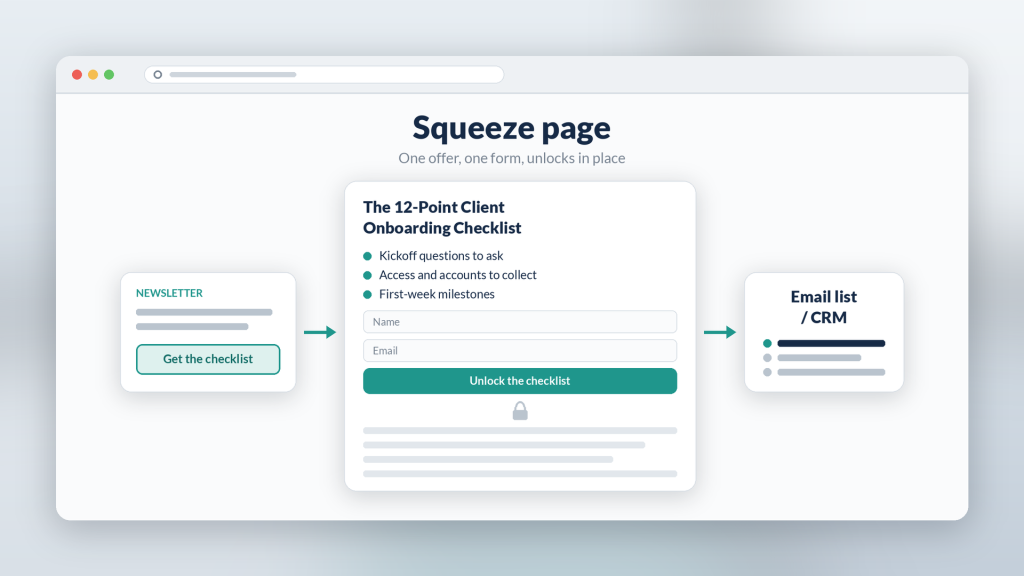
A squeeze page is a short, single-purpose page that asks for one thing: an email address in exchange for something the visitor already wants. No navigation, no side links, no long sales story. Just a clear promise and a form.
It still works when the offer is specific and the visitor arrives knowing what they came for. Below: how a squeeze page differs from a full landing page, when a full-page gate is the right call, and how to build one for a lead magnet. Examples use Subpage, a no-code gated lead magnet builder, but the ideas apply to any stack.
What is a squeeze page?
The name comes from “squeezing” an email address out of a visit. Whether you call it a squeeze page, a website squeeze page, or a lead capture page, the classic version has four parts:
- A headline that names the asset and the outcome. “The 12-point client onboarding checklist,” not “Free resource.”
- Two or three bullets on what’s inside.
- A short form. Usually name and email, sometimes email only.
- One button. Nothing else to click.
Anything that doesn’t help the visitor decide gets cut.
Landing page vs squeeze page
Every squeeze page is a landing page, but not every landing page is a squeeze page. The difference is scope.
- A landing page can sell a product, book demos, or explain an offer in depth, often with testimonials, FAQs, and several sections. The lead magnet landing page guide walks through that fuller anatomy.
- A squeeze page has one goal, the email, and uses the least copy needed to earn it.
Use a squeeze page when the visitor is already warm: they clicked a newsletter link, a social post that named the asset, or a webinar slide. Use a fuller landing page when they need more convincing first.
When a full-page gate is the right call
Subpage offers exactly four gate types, and you use one per page:
- Squeeze Page: full-page gate. The visitor fills in the form before seeing any of the content. Best for high-intent traffic and assets people already know by name.
- Gated content (scroll depth): the opening section is visible and the rest unlocks after the form. Better when a sample needs to do the convincing, or when you want search engines to have something to read.
- Tab gating: one tab is open, the rest are gated. Good for multi-part guides and toolkits.
- Password: no email captured. For customers, partners, or a client’s internal team.
A quick rule: if the visitor already said “yes, send me that” before they arrived, use the Squeeze Page. If they’re still deciding, show a sample first. The soft gate vs hard gate guide goes deeper on that trade-off.
Build it around the lead magnet, not a PDF
The old pattern was a squeeze page that emailed a PDF. The visitor submits, waits, digs through a promotions tab, downloads a file, and maybe opens it. Every step loses people.
With a gated page, the lead magnet lives on the same URL as the form. When the visitor submits, the content unlocks in place. There’s no thank-you redirect, and unless you turn on Double Opt-in, no “check your inbox” step either. If you’re still sending attachments, PDF lead magnet alternatives covers what to switch to.
A simple build order:
- Write the asset first. A checklist, template, or short guide. If it isn’t useful, no headline will save it.
- Write the gate copy. One headline, a few bullets, a short form.
- Pick the Squeeze Page gate and publish.
- Connect the handoff. Send leads to your email platform or CRM via webhook, Zapier, or export, tagged with the asset they came for.
- Send warm traffic to it. Newsletters and posts that name the asset work best.
Common squeeze page mistakes
- Vague promises. “Get our free guide” says nothing. Name the outcome.
- Too many fields. Ask only for what you’ll actually use.
- Cold traffic. A full-page gate in front of people who’ve never heard of you tends to struggle. Show a sample instead.
- No follow-up plan. A lead sitting in a spreadsheet for a week is wasted. The CRM lead handoff walkthrough covers the setup.
The agency and practitioner angle
For agencies, coaches, and consultants, a squeeze page is a fast client deliverable: one asset, one page, one gate, one handoff into the client’s tools, without touching their website or waiting on their developer. Build one well, then reuse the structure for the next client.
What Subpage users say
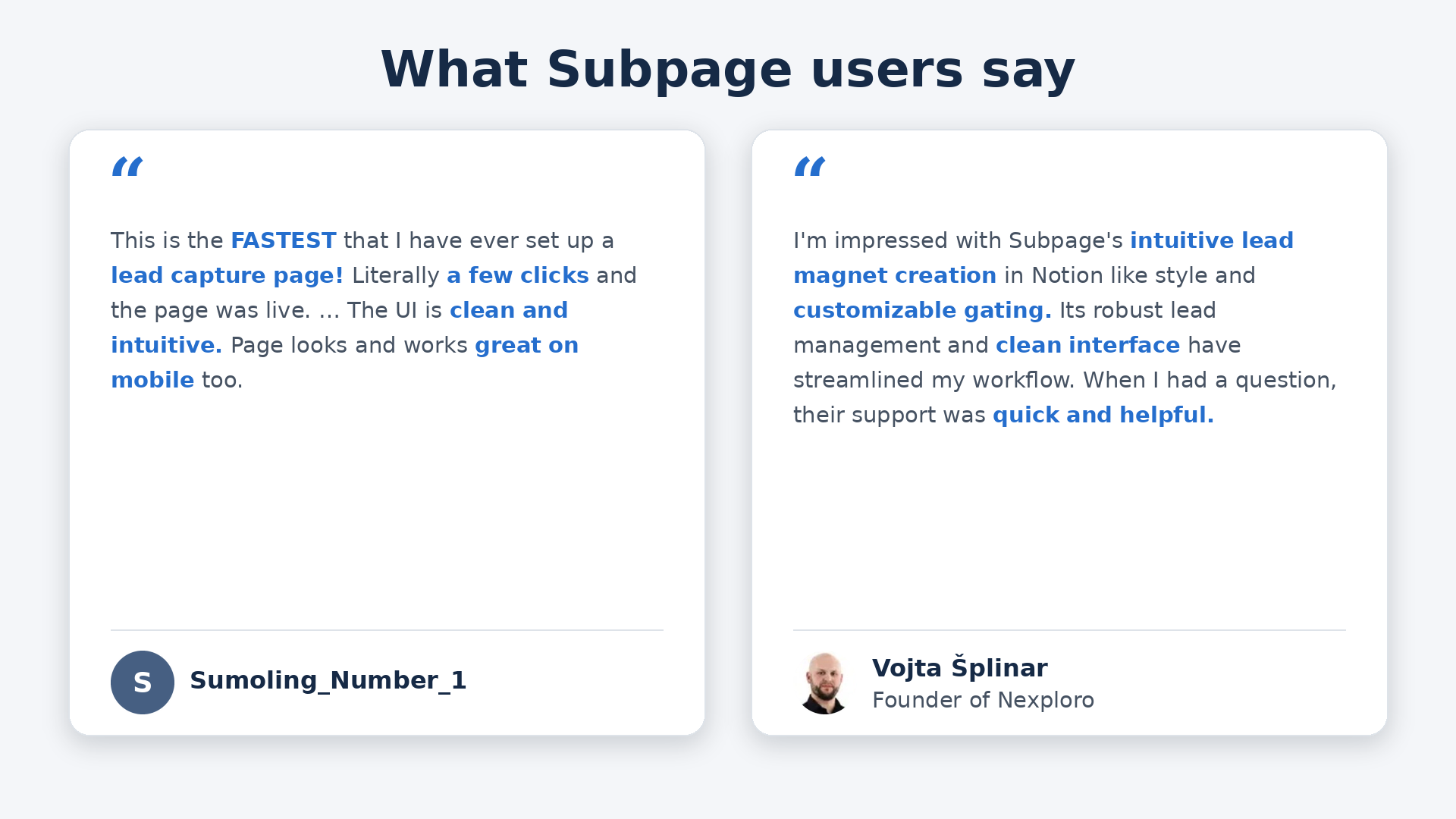
Sumoling_Number_1: “This is the FASTEST that I have ever set up a lead capture page! Literally a few clicks and the page was live. … The UI is clean and intuitive. Page looks and works great on mobile too.”
Vojta Šplinar, Founder of Nexploro: “I’m impressed with Subpage’s intuitive lead magnet creation in Notion like style and customizable gating. Its robust lead management and clean interface have streamlined my workflow. When I had a question, their support was quick and helpful.”
Bottom line
A squeeze page works when the offer is specific and the visitor is already warm. Keep it to a headline, a few bullets, a short form, and one button. Put the asset on the same page so it unlocks on submit, and route every lead somewhere useful. For colder traffic, use a partial gate.
FAQ
What is a squeeze page? A squeeze page is a short, single-purpose web page that asks visitors for their email address in exchange for a specific free resource, such as a checklist or template. It has no navigation, a clear headline, a short form, and one call to action.
What is the difference between a landing page and a squeeze page? A landing page can serve many goals, such as selling a product, booking demos, or registering people for a webinar, and often has several sections. A squeeze page is a type of landing page with one goal, capturing an email, and only the copy needed to earn it.
When should you use a squeeze page instead of a partial gate? Use a full-page squeeze page when visitors arrive warm and already know the asset by name, for example from a newsletter or a talk. For cold or search traffic, a partial gate that shows a sample first is usually the safer choice.